
# 防抖
防抖
function debounce(fn, delay) {
  let timer = null;
  return function() {
    const context = this;
    const args = arguments;

    if (timer) clearTimeout(timer);

    timer = setTimeout(function () {
      fn.apply(context, fn);
    }, delay)
  }
}
# 应用场景
# 节流
节流,简单来说就是在指定的时间段内,传入的回调函数只触发一次,用于控制事件发生的频率。
function throttle(fn, interval) {
  let last = 0;
  return function () {
    const now = Date.now();
    const context = this;
    const args = arguments;
    if (now - last >= interval) {
      fn.apply(context, args)
    }
  }
}
# 应用场景:
- scroll 事件
- 搜索框实时搜索
对于搜索联想词这种情况,用防抖节流都能实现,但个人偏向使用节流。
下面我们看下百度的联想词搜索,几乎是在用户输入的同时就在请求接口了:
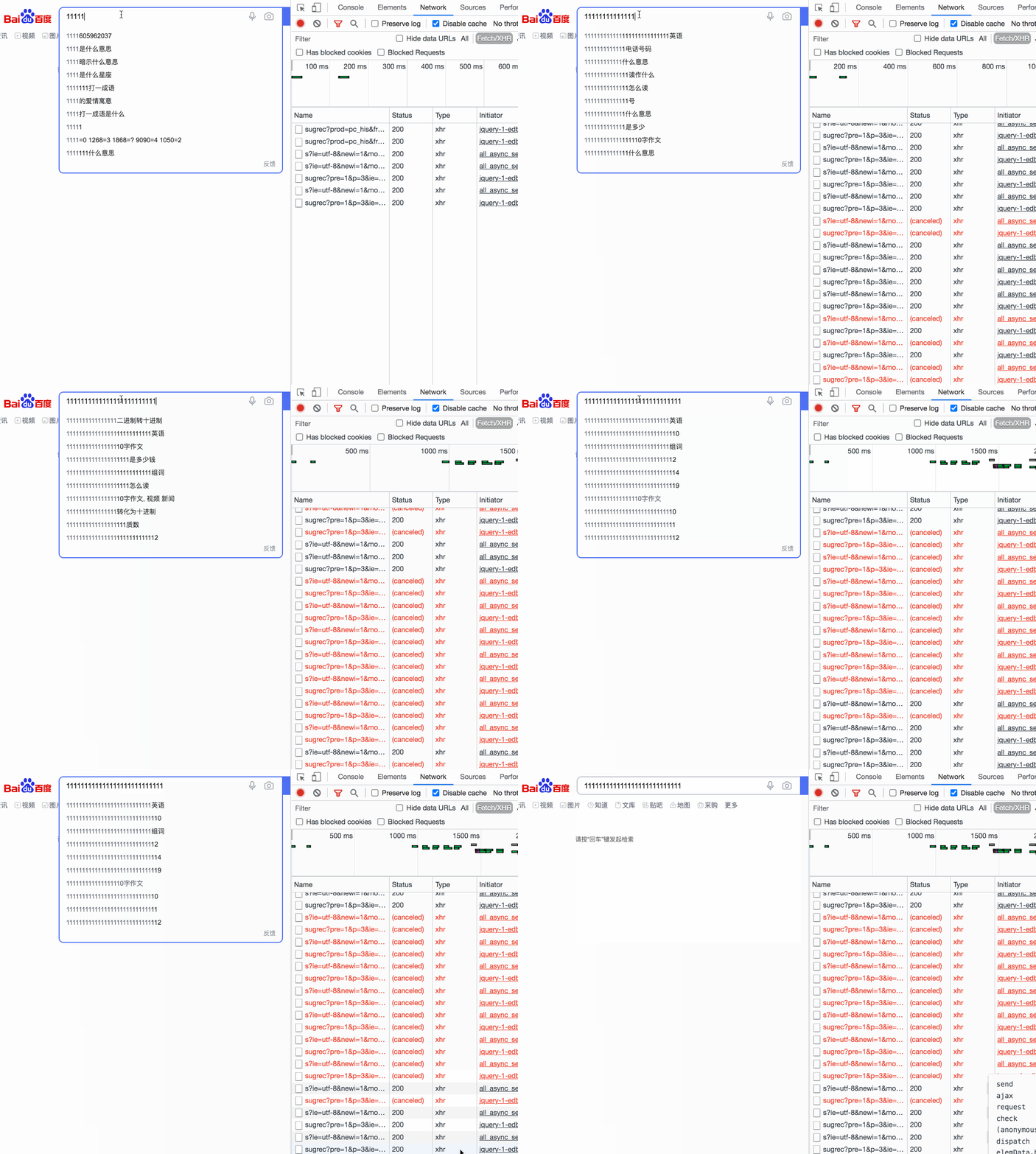
搜索联想词这种实时性要求较高。
使用防抖来模拟实现搜索联想词:
<!DOCTYPE html>
<html lang="en">
<head>
  <meta charset="UTF-8">
  <meta http-equiv="X-UA-Compatible" content="IE=edge">
  <meta name="viewport" content="width=device-width, initial-scale=1.0">
  <title>Document</title>
</head>
<body>
  <input type="text" onkeyup="debounceSearch()" />
  <script>
    const debounceSearch = debounce(search, 500)

    function search() {
      ajax()
    }
    function ajax() {
      console.log('模拟联想词接口' + Date.now())
    }
    function debounce(fn, delay) {
      let timer = null;
      return function () {
        if (timer) clearTimeout(timer);
        const context = this;
        const args = arguments;
        timer = setTimeout(function() {
          fn.apply(context, args)
        }, delay)
      }
    }
  </script>
</body>
</html>
效果如下:
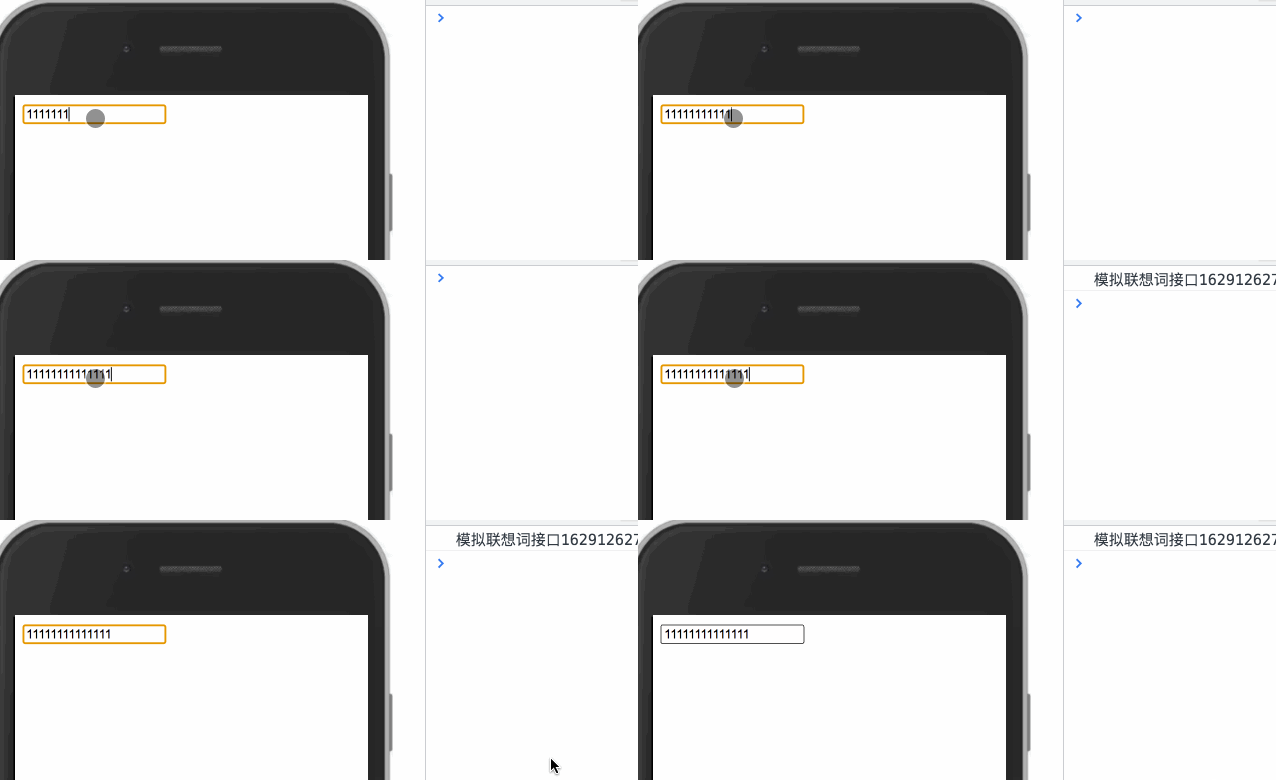
可以看到当用户一直在输入的时候,搜索词联想接口并没有及时调用,用户得不到良好的反馈。当然,你可以说你把时间改短点呀,这当然是个方法,我们甚至可以把时间设置为 0,但这样还要防抖干啥呢,直接写不好吗。除了减少时间这种方式,我们还可以使用防抖的优化版本。
使用节流来模拟实现搜索联想词:
<!DOCTYPE html>
<html lang="en">
<head>
  <meta charset="UTF-8">
  <meta http-equiv="X-UA-Compatible" content="IE=edge">
  <meta name="viewport" content="width=device-width, initial-scale=1.0">
  <title>Document</title>
</head>
<body>
  <input type="text" onkeyup="throttleSearch()" />
  <script>
    const throttleSearch = throttle(search, 500)

    function search() {
      ajax()
    }
    function ajax() {
      console.log('模拟联想词接口' + Date.now())
    }
    function throttle(fn, interval) {
      let last = 0;
      return function() {
        const context = this;
        const args = arguments;
        const now = Date.now();

        if (now - last >= interval) {
          last = now;
          fn.apply(context, args);
        }
      }
    }
  </script>
</body>
</html>
效果如下:
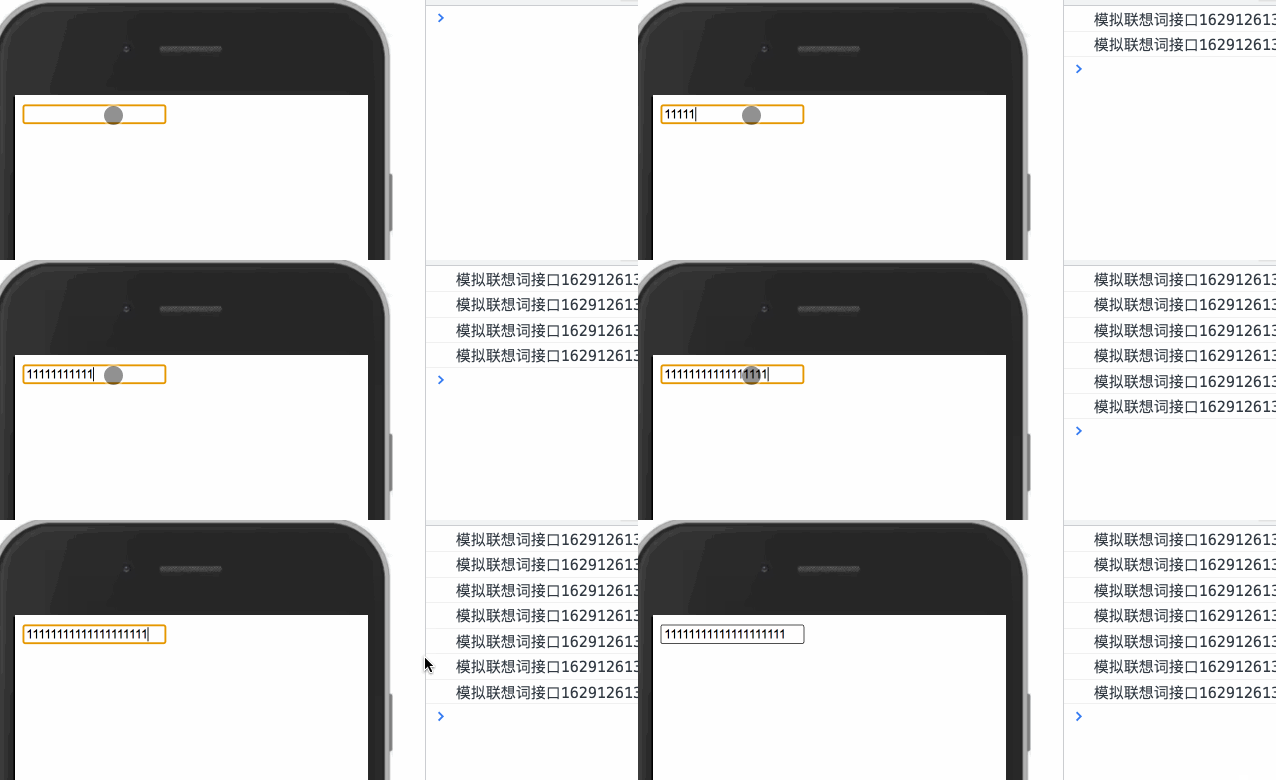
可以看到虽然用户一直在输入,接口也相对实时的调用了,接口调用的不那么频繁也可以给用户一个更好的反馈。